





How to Update
Updated: February 20, 2024
Talk
Talk
Talk Settings
Page Editor
Create a Card
Create a Folder
Edit a Card or Folder
Copy a Card or Folder
Move a Card or Folder
Enabling and Disabling the Editor
Search Not Displaying Any Results
Missing Cards and Folders
Dual Language Mode
Search for Cards and Folders
Message Window
Alternative Pronunciation
Therapy
Therapy
News
News
Connect
Connect
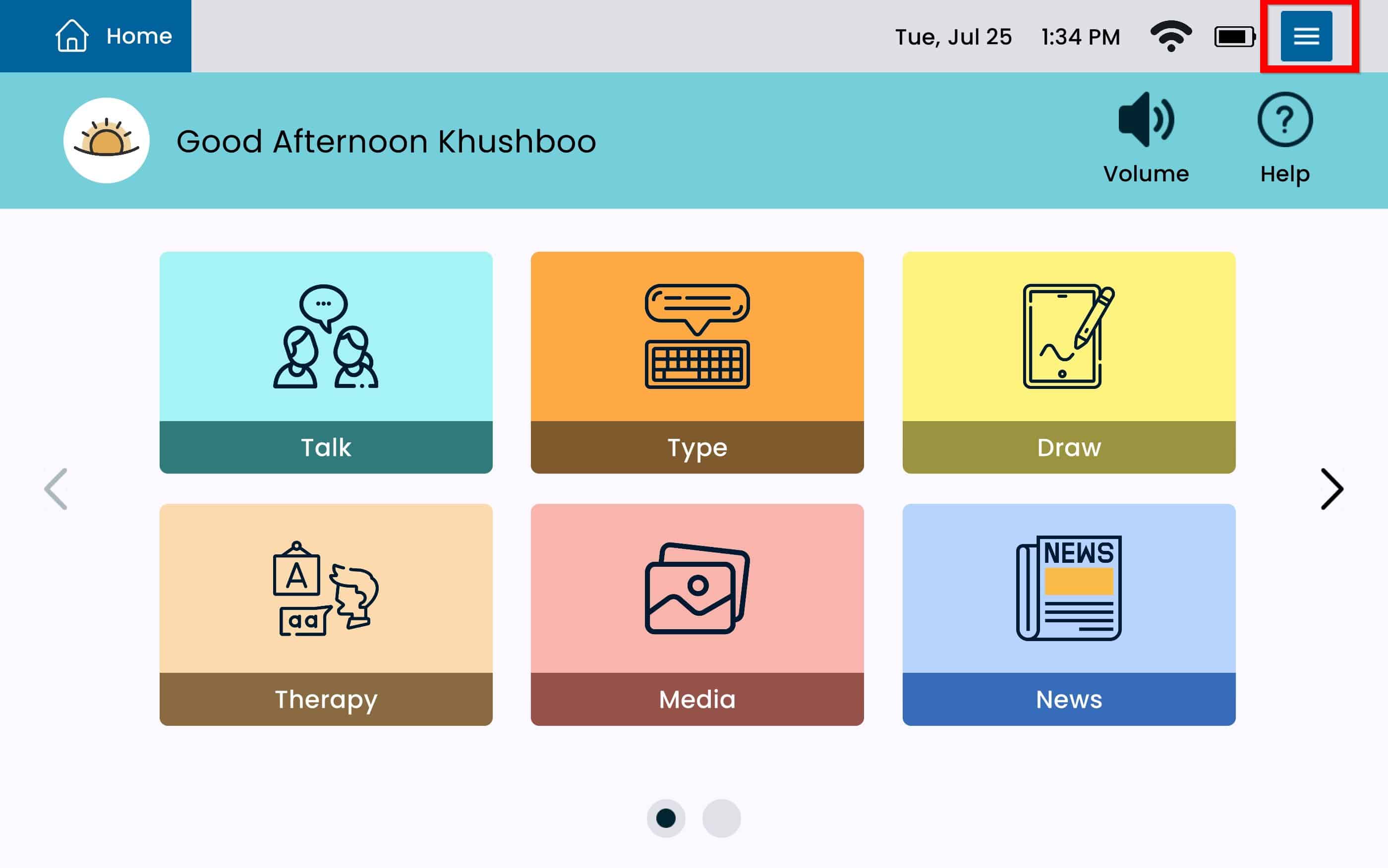
From Home select the Settings Menu Button.
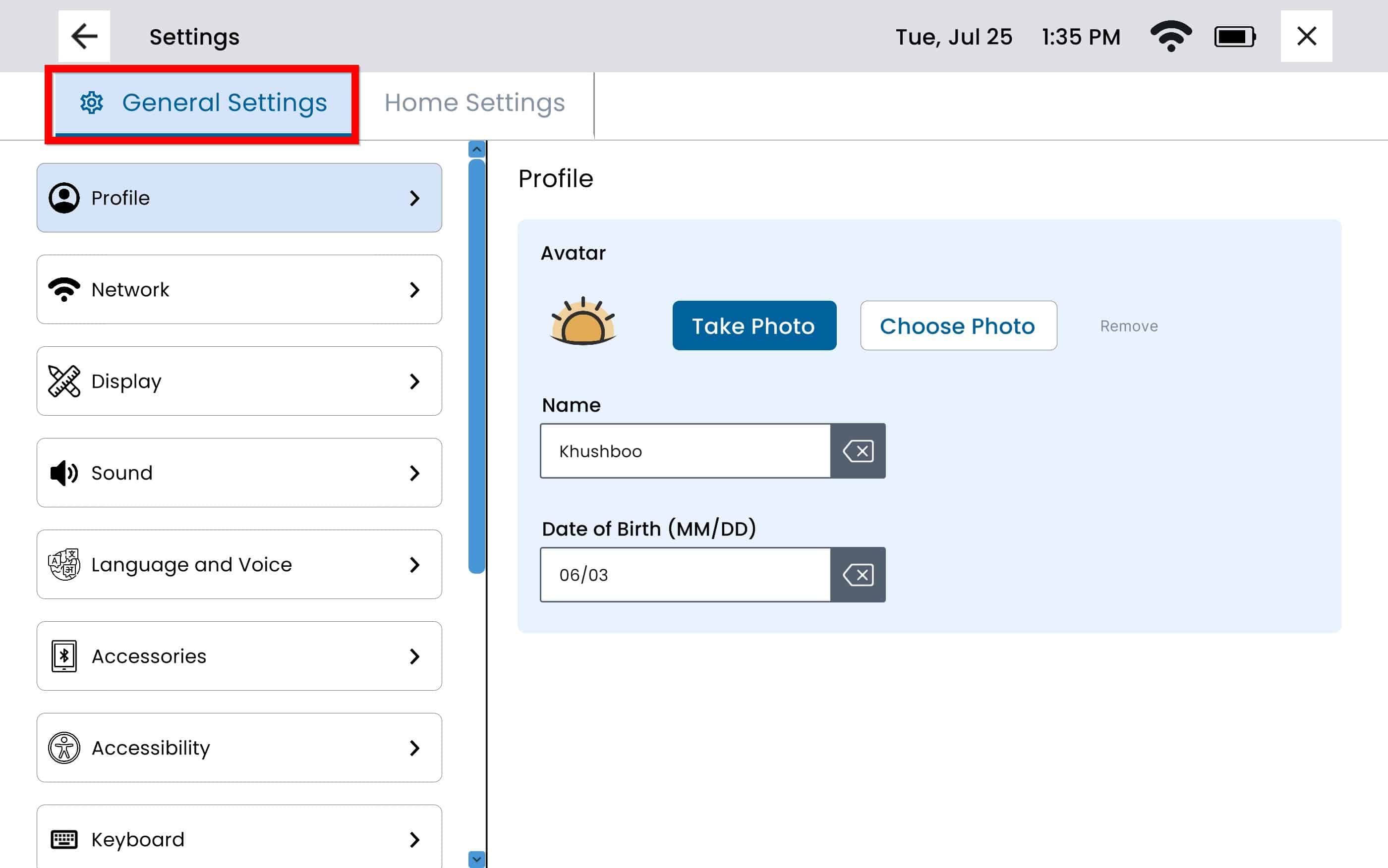
Select the General Settings tab on the top right.
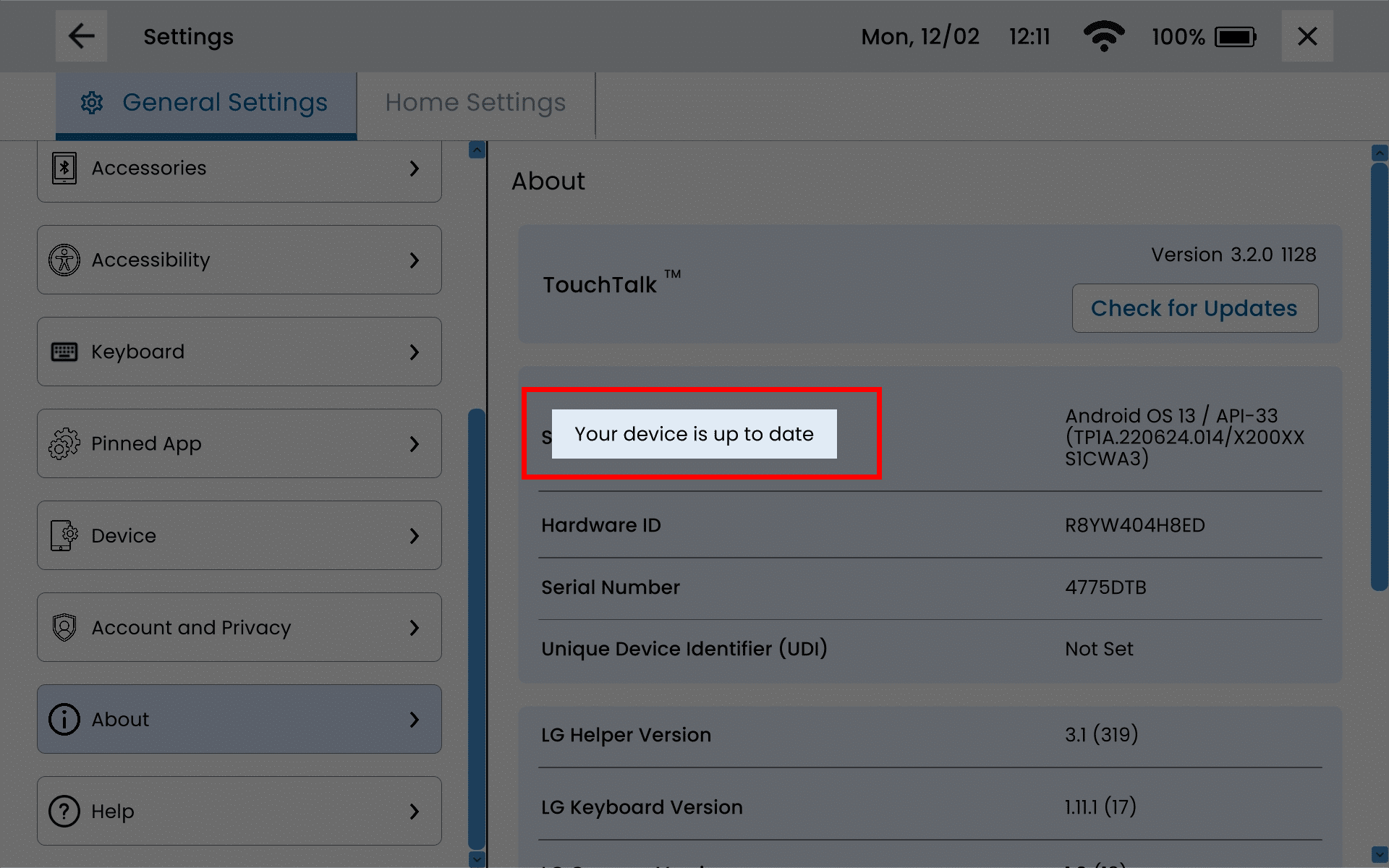
Use the left panel to scroll down and select About. Select Check For Updates.
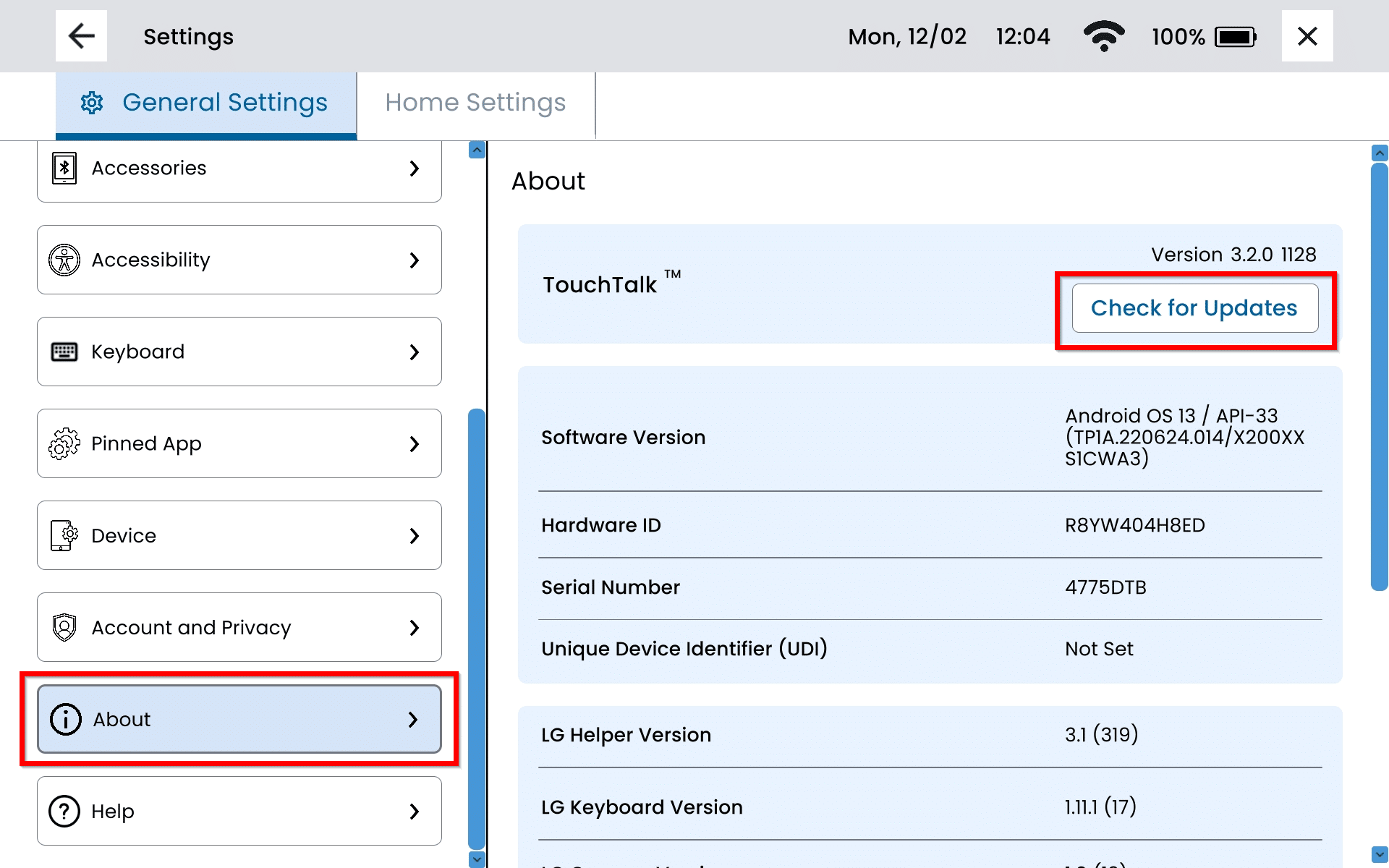
Please note:
The device will require internet connection in order to complete the update. For additional instructions on how to connect to Wi-Fi, please refer to our Connect to Wi-fi article.
If there are no updates available, you will get a messaging stating ‘Your device is up to date’.