




Create a Scenes Folder
Updated:
Talk
Talk
Talk Settings
Page Editor
Create a Card
Create a Folder
Edit a Card or Folder
Copy a Card or Folder
Move a Card or Folder
Enabling and Disabling the Editor
Search Not Displaying Any Results
Missing Cards and Folders
Dual Language Mode
Search for Cards and Folders
Message Window
Alternative Pronunciation
Therapy
Therapy
News
News
Connect
Connect
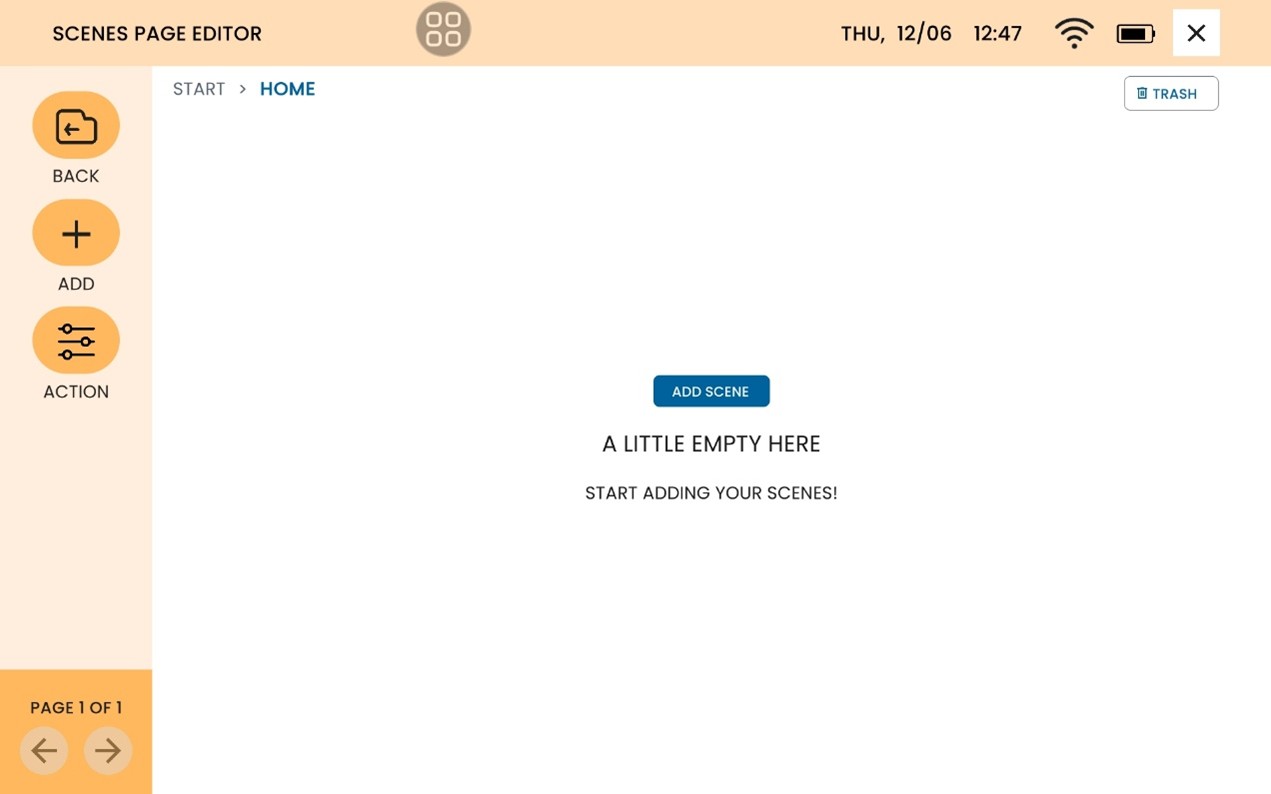
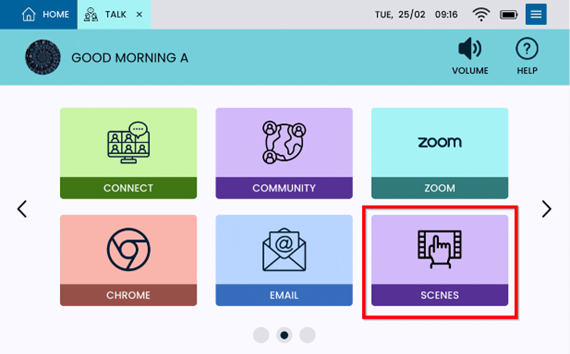
From Home, select Scenes.
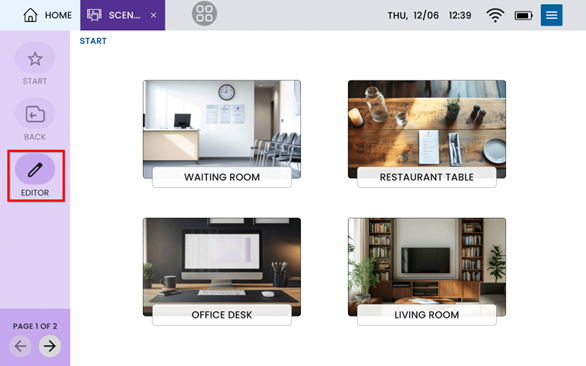
Select Editor.
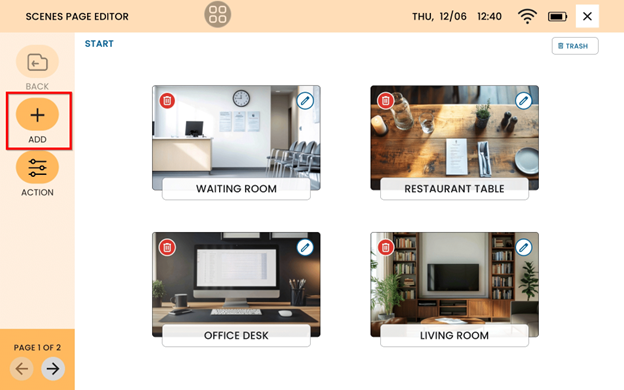
Select Add.
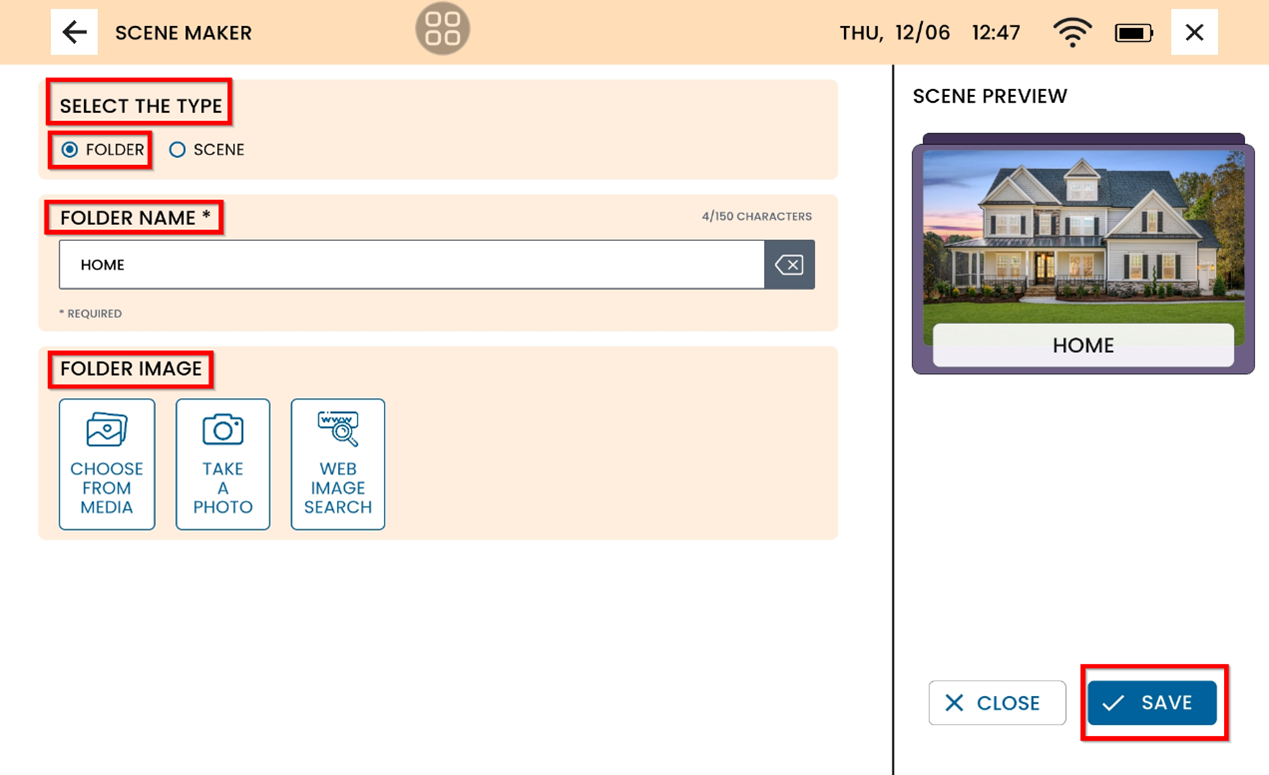
Under Select the Type, select Folder. Name the folder, select the photo and select Save.
The Folder will now be available and ready to have scenes added.