








How to Update Your Device
Periodically, we update your device’s software in order to continue improving the system and provide you with the best features we have available. We recommend checking for a device update every 2-3 months.
To start, make sure your device is connected to Wifi. Then follow these steps:
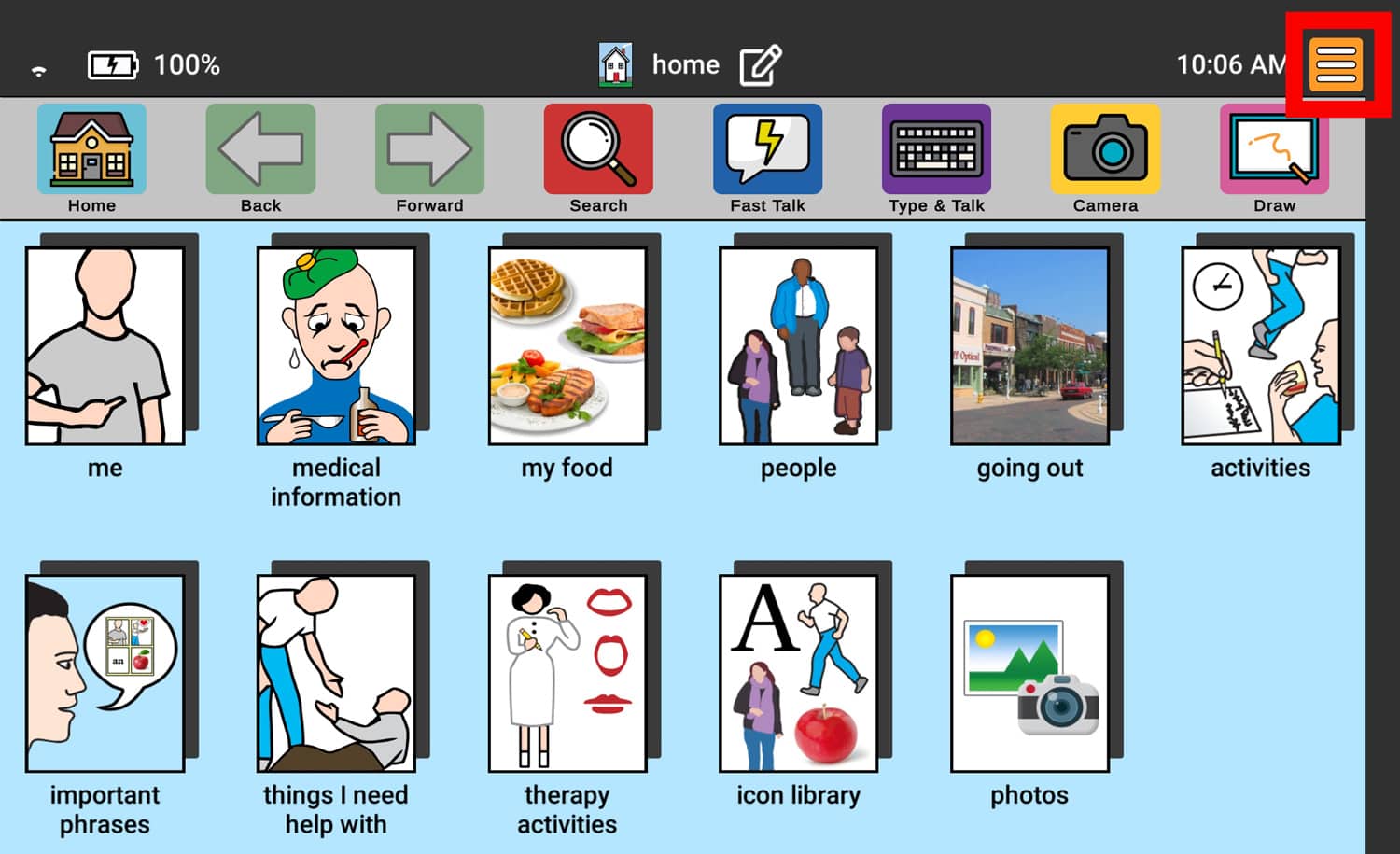
1. Touch the orange Menu icon in the top right corner.
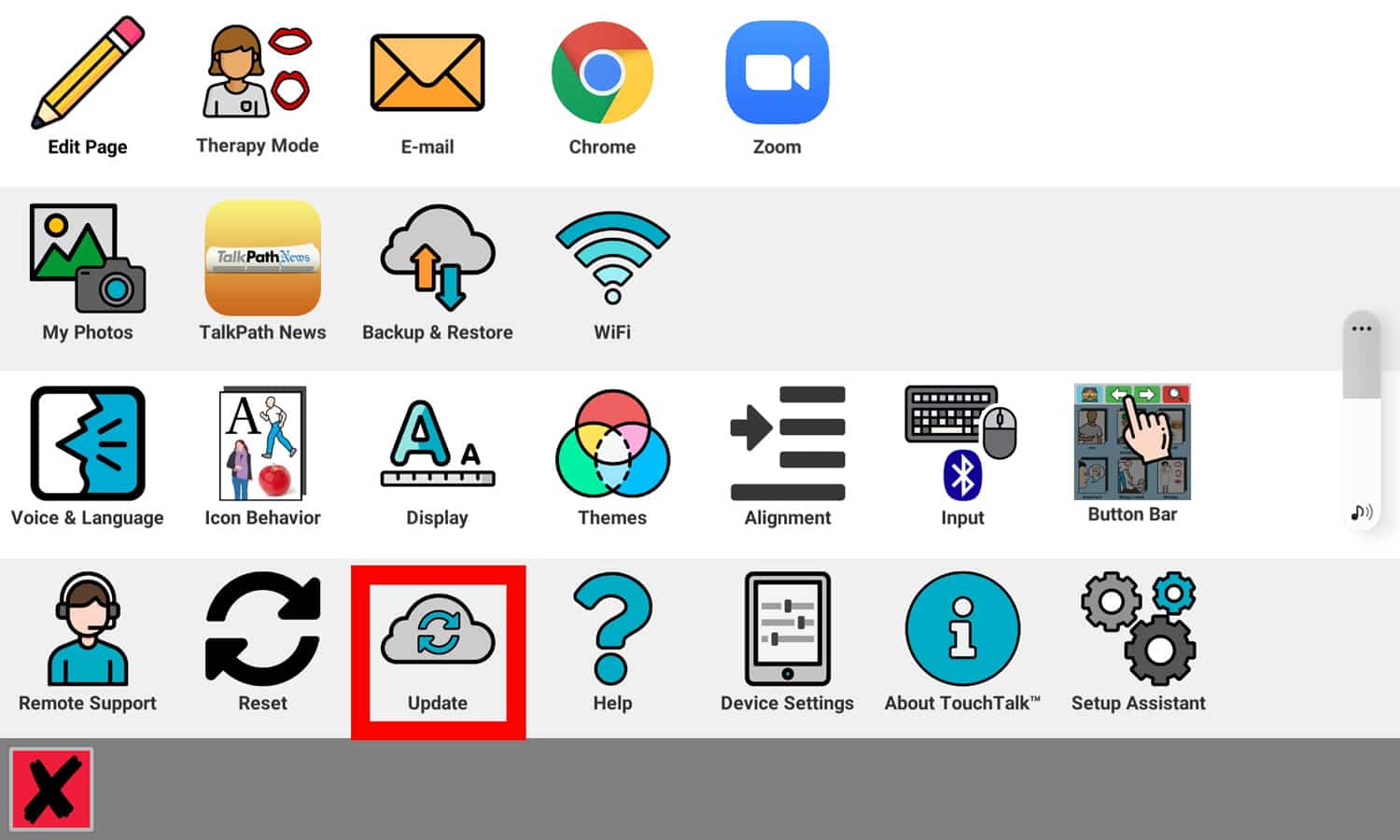
2. Touch Update.
If you receive a message that says, “No new updates found,” this means the program is updated to the latest version possible on your device.
If you receive a message that says, “New Update Found,” press the green check mark to download the update.

Still Need Help?
Call us now at 888-274-2742, option 5. We are available from Monday to Friday between 8am and 8pm ET. Si, hablamos Español!
You can also click here to schedule an appointment.
