





Custom visual scene displays and more arrive in Hub 3.10 software update
Published on Jul 24, 2025
When we set out to create Hub, we weren’t just refreshing software. We were building a foundation — one that would make Lingraphica devices more accessible, more flexible, and more ready for the future.
We spent over two years listening, observing, testing, and refining. We spoke with AAC users, care partners, and SLPs. We built prototypes and watched people navigate them. We asked what worked and what didn’t. That essential feedback helped us design Hub, a modular platform that evolves with the needs of the people who use it.
And that’s what makes updates like these possible. It’s not just about adding features. It’s about growing Hub’s potential without compromising what already works. Every release brings us closer to the vision that inspired Hub in the first place: an AAC experience shaped around the individual, not the other way around.
In 3.10, that means more ways to personalize the device, communicate in context, and share your story.
Add personal context with visual scene displays
When we communicate, we often rely on context: a familiar place, a shared experience, a visual reference. Visual scene displays bring that context into the device, helping users access and express language in a way that feels intuitive and grounded in their daily lives.
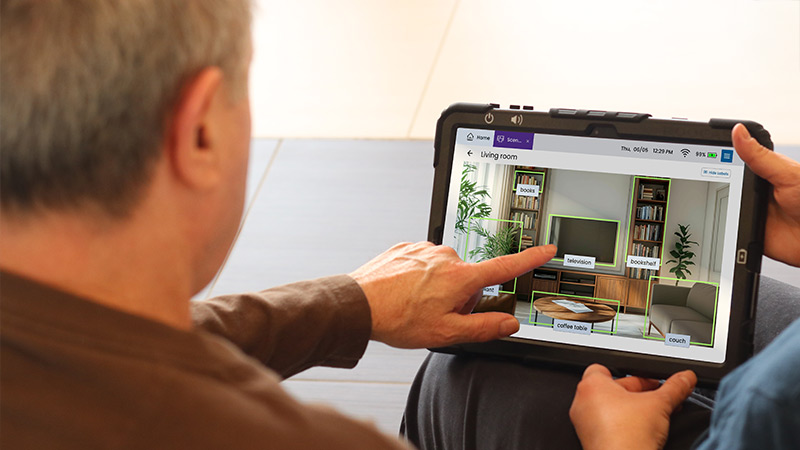
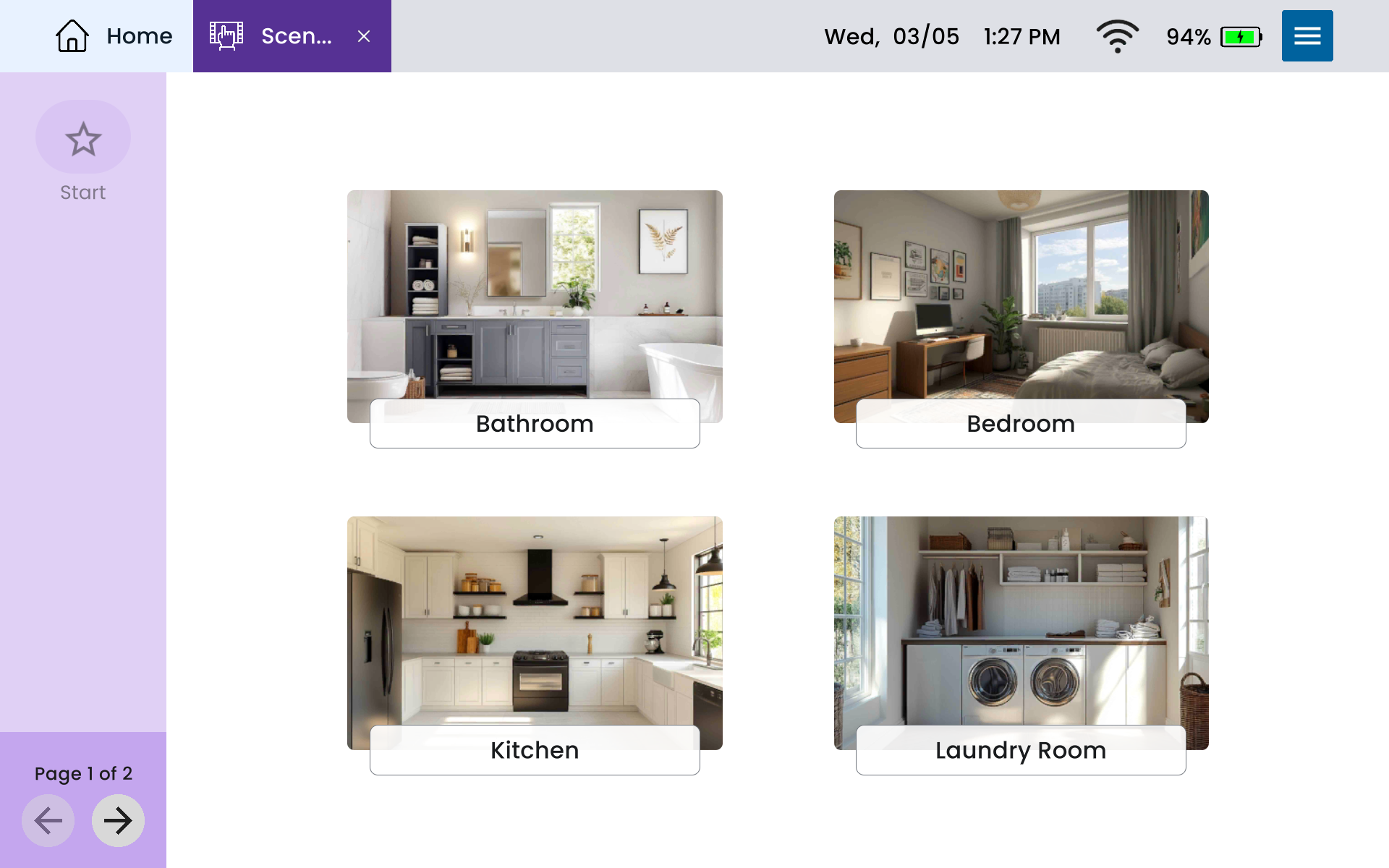
Now, device users can upload personal photos — a classroom, kitchen, favorite café, or group of loved ones — and add tap-to-speak hotspots for key vocabulary. It’s a simple but powerful way to organize communication around real environments, routines, and relationships.
Research shows that real photos are often more recognizable than symbols, especially for individuals with cognitive or memory challenges (Beukelman et al., 2015). And in therapy, personalized visuals can increase motivation and carryover (Light et al., 2019; Ho et al., 2005). Whether you’re using them for everyday communication or structured intervention, Visual Scenes make language more meaningful.
Try them with:
- Real-life places (home, school, work)
- Groups of people
- Menus and routines
- Body parts, objects, or familiar settings
It’s been one of our most requested features, and we’ve designed it to deliver what makes AAC work: personal relevance, recognition, and real-world connection.
Get more personalized with themes
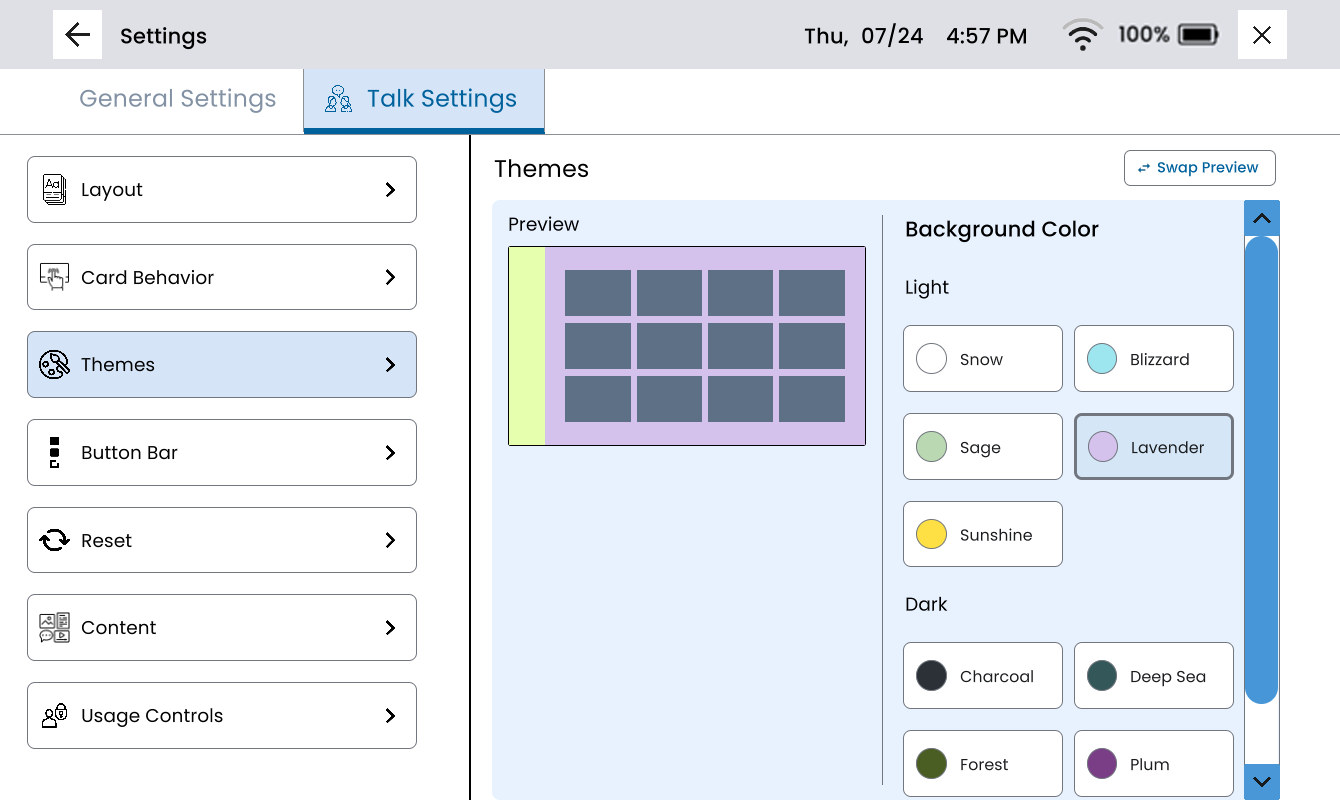
Color may seem like a minor detail, but it can significantly shape how someone feels using their device, and that’s important to us. With this update, users can now change the background color in Talk, choosing from new light and dark themes.
This isn’t just cosmetic. For device users with low vision, increased contrast can make navigation easier. And for many, simply choosing a preferred color can make the device feel more comfortable and personal.
When a device feels like yours, you’re more likely to use it consistently. That’s a small change with real potential.
Tell your story with mixed media
People express themselves in different ways. That’s why Lingraphica devices offer a variety of apps for different modes of communication. Now, albums reflect that same flexibility.
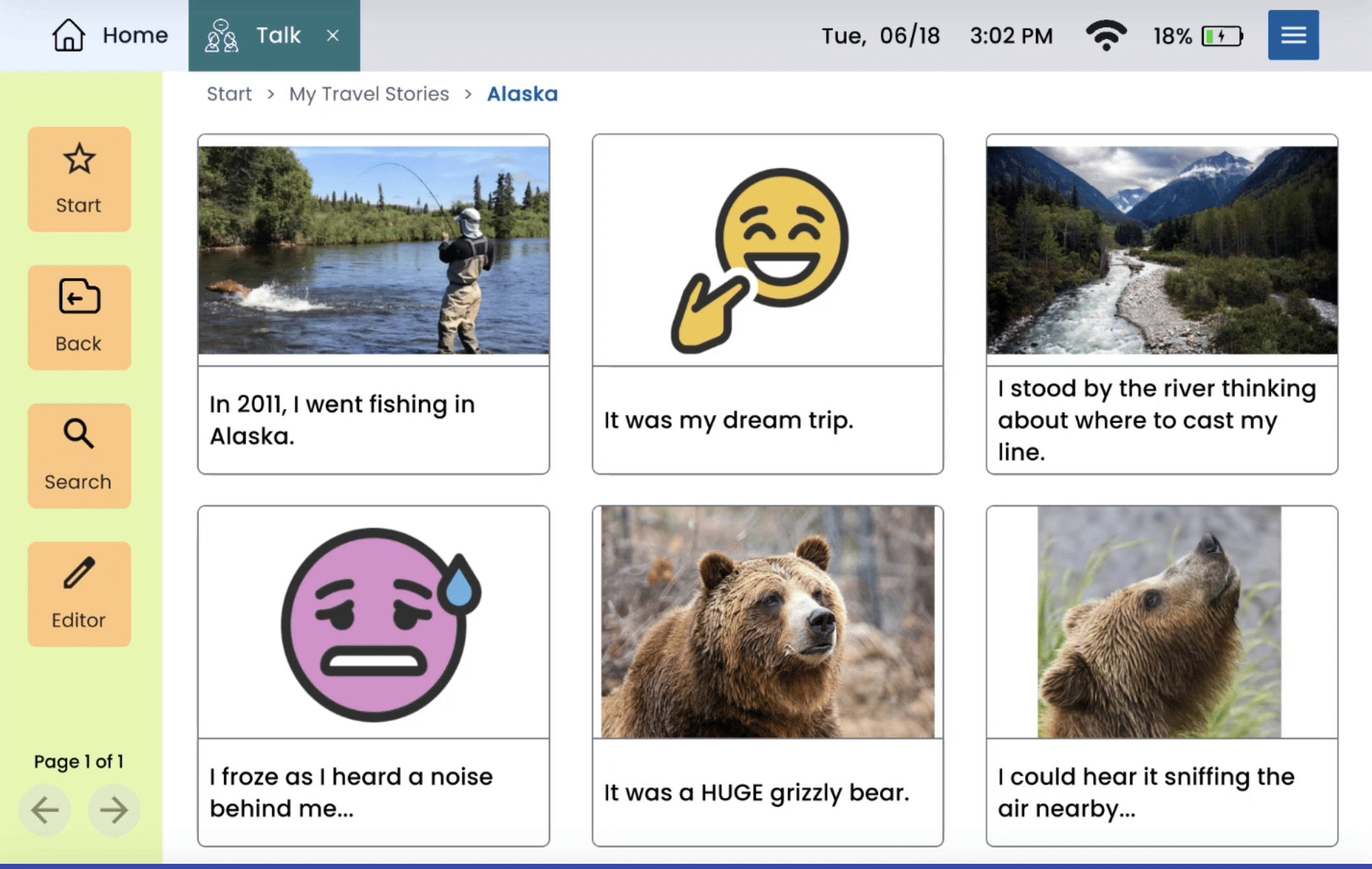
Users can now include photos, videos, audio recordings, and drawings together in a single album. This makes it easier to build more three-dimensional content — collections that reflect real-life experiences from multiple angles, not just one.
Whether capturing a beach trip, preparing for a doctor’s visit, or telling a personal story, albums can now support deeper, more expressive communication. By combining media around a shared topic, users and clinicians gain new opportunities for both meaningful connection and therapeutic growth.
Other recent updates
In addition to our core features, this release includes several enhancements that make the Hub experience even more functional and secure:
- Enable/disable web image search: Allows image search to be turned off in Talk, Draw, and Scenes, providing more control over accessible content
- Image cropper – fit to frame: Resize images more precisely to fit designated spaces and improve visual layout
- Lock swiping: Prevent unintended navigation between pages by disabling swipe gestures
- Offline voice mode: Communicate reliably even without an internet connection using a preferred offline voice
Celebrating 35 years, and what’s next
This year, we’re celebrating Lingraphica’s 35th anniversary. It’s a milestone that marks more than just time. It reflects decades of learning, listening, and building alongside the people who use our devices and the professionals who support them.
This release is part of that legacy. We’re proud of what’s included here because it centers what matters most: people.
Our vision for AAC is clear. More personalized. More flexible. More rooted in the real lives, goals, and identities of those who use it.
That’s the future we’re building. And we’re glad to be building it with you.
About Contributor
 Caitlin Mueller, MS, CCC-SLP
Director, Clinical Business Unit
Caitlin Mueller, MS, CCC-SLP
Director, Clinical Business Unit
Contributors
Caitlin Mueller, MS, CCC-SLP
Director, Clinical Business Unit
Categories
Subscribe to newsletter
Share